Remain Style Guide
Brand Color
What Is Brand Color
A unique color that represents the brand, giving the entire brand a sense of unity and effectively conveying the same message to users over and over.
Brand Color Usage
Brand colors are typically proposed as one primary color and one secondary color. Using fewer colors rather than many enhances brand identity and makes it easier to design with content at the center. If it feels too monotonous, you can add saturation and brightness to the brand color to create richer expressions.
Brand Color Ratio
The primary color should have a higher ratio than the secondary color. If the ratio is reversed, users may become confused about the main color, so it is best to use the primary color more than the secondary color.
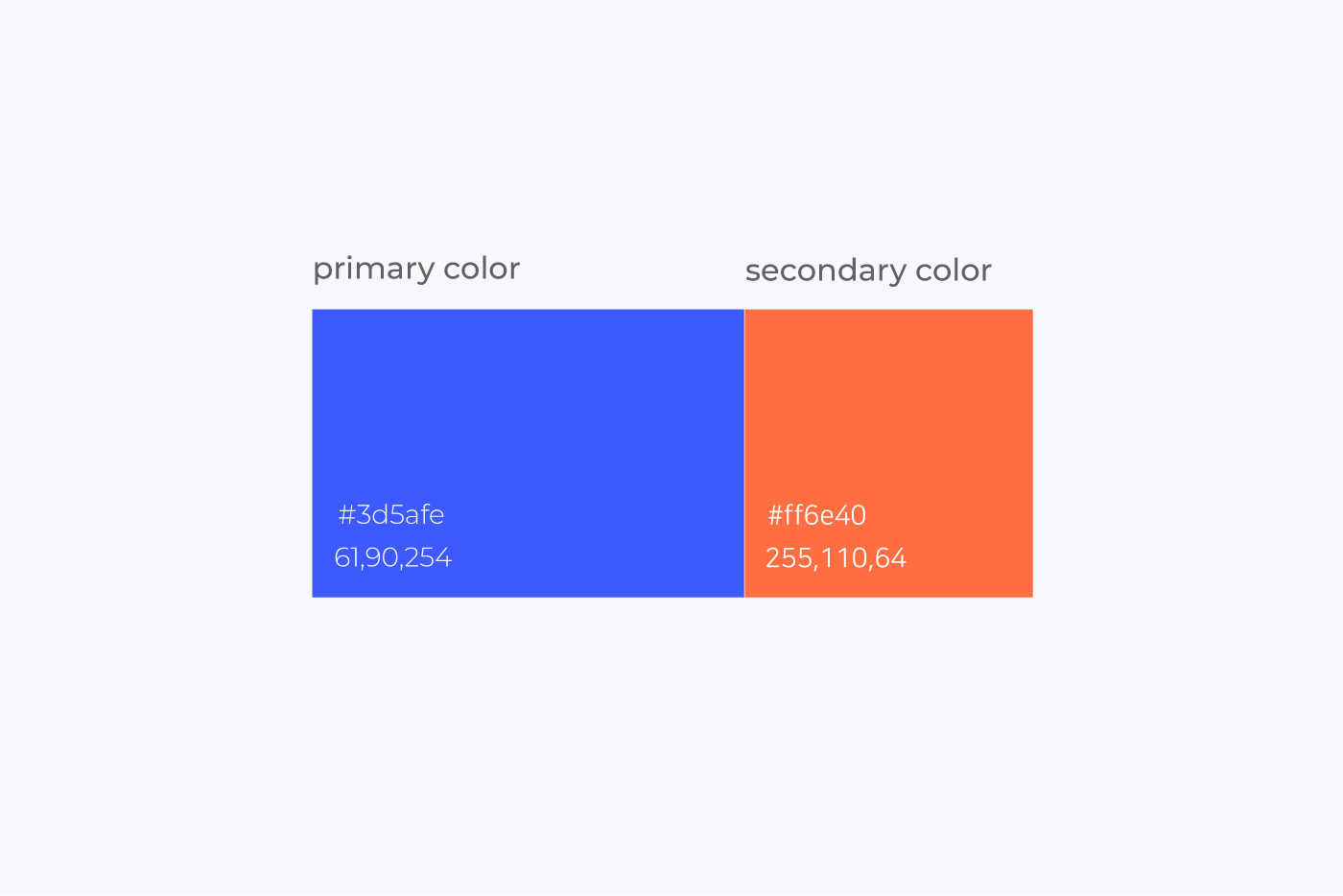
#3d5afe was selected as the primary color and #ff6e40 as the secondary color, and
this example shows that the primary color occupies a higher proportion than the secondary color.
Color Combination (color scheme)
When choosing the primary and secondary colors, the combination between hues is also very important. The color wheel is a tool that helps create harmonious color combinations. Since all colors sometimes complement and sometimes clash with each other, the process can feel slow or difficult. At times like this, a color wheel tool can help shorten the process.
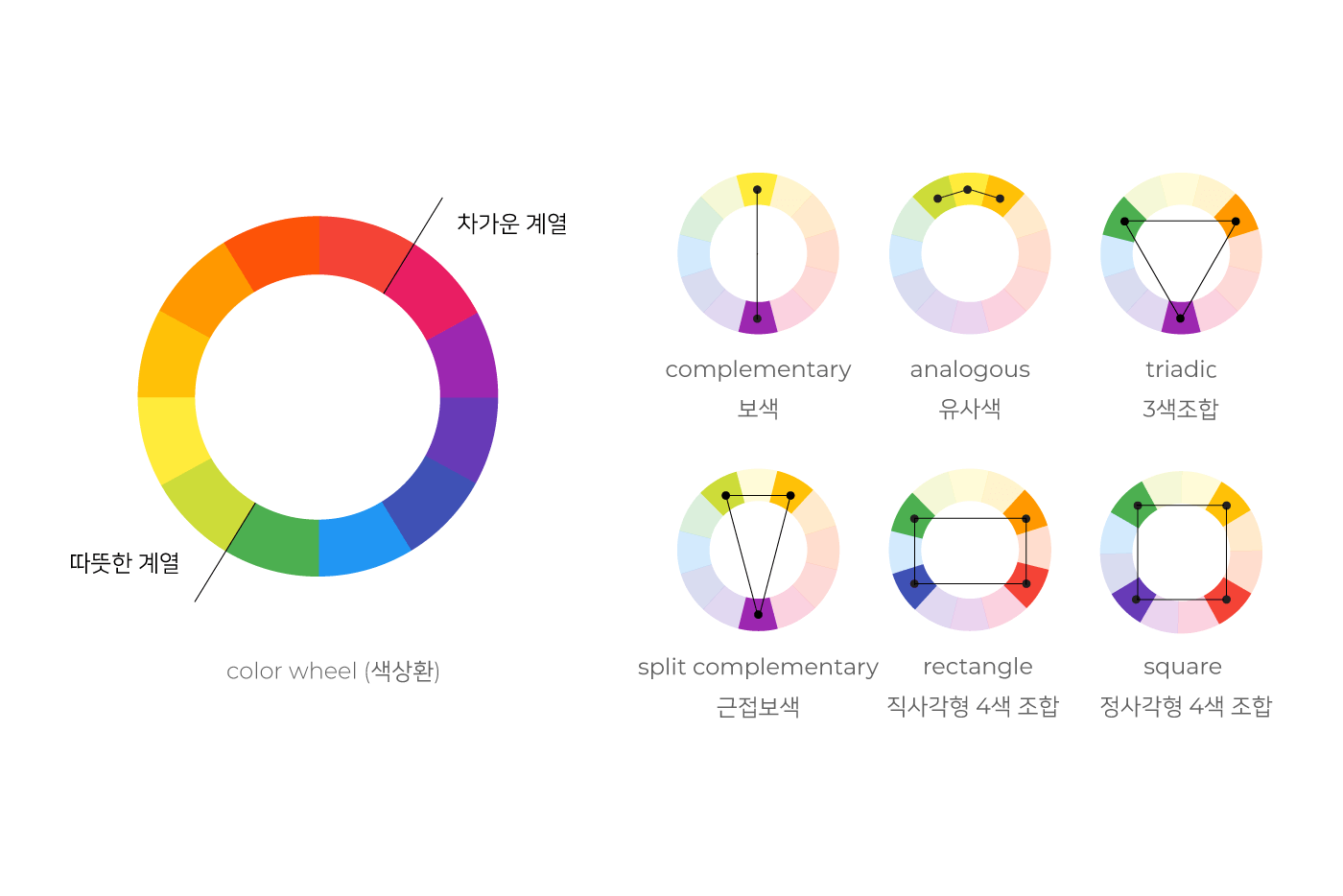

This example shows how the complementary relationship between the primary color (#3d5afe) and the secondary color (#ff6e40) is used on the web.
Interaction Color
For interaction colors, we suggest using colors that are one or two tones lighter and darker than the default color. You can also increase the steps in lightness and saturation for more variation.
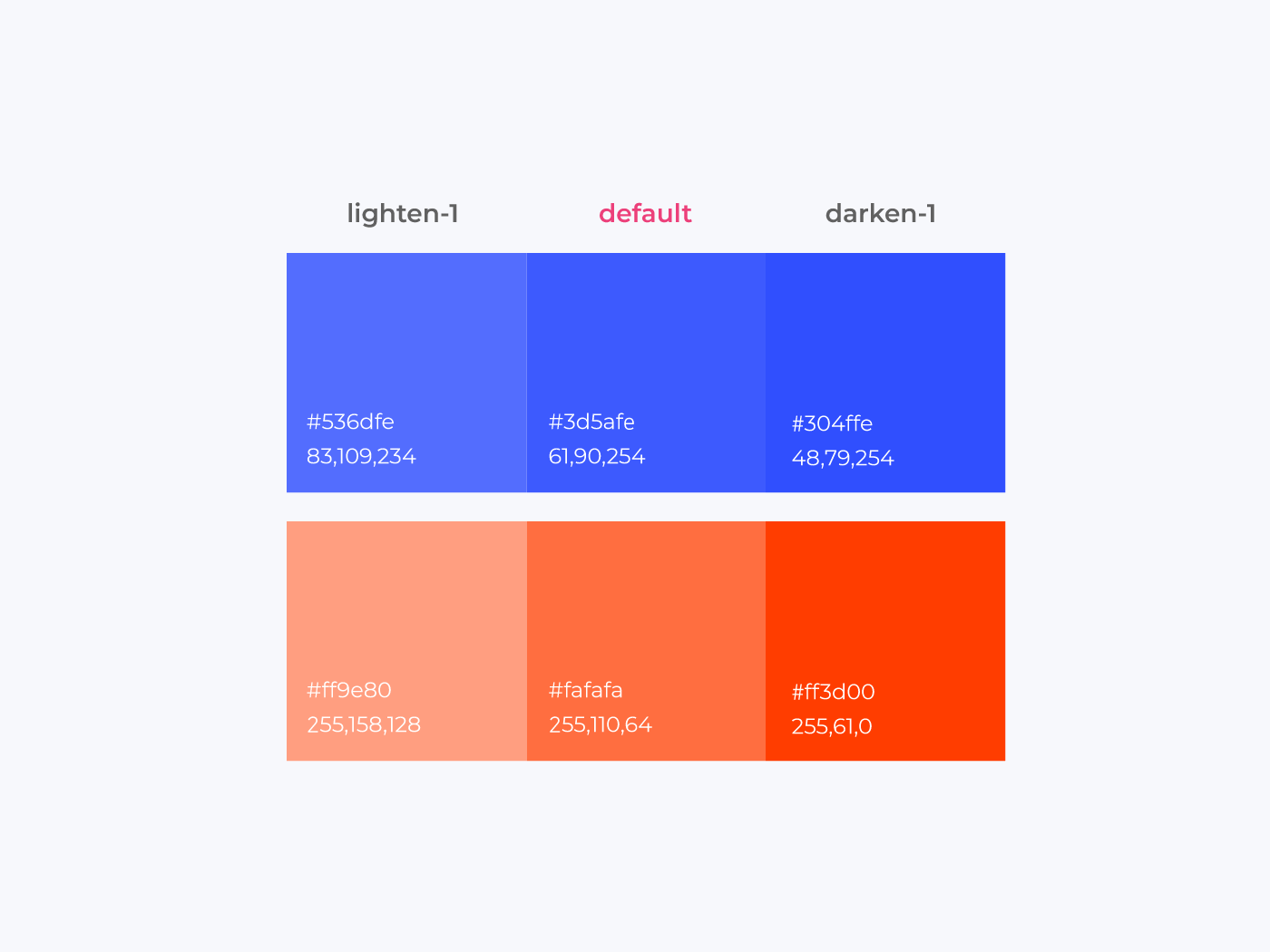
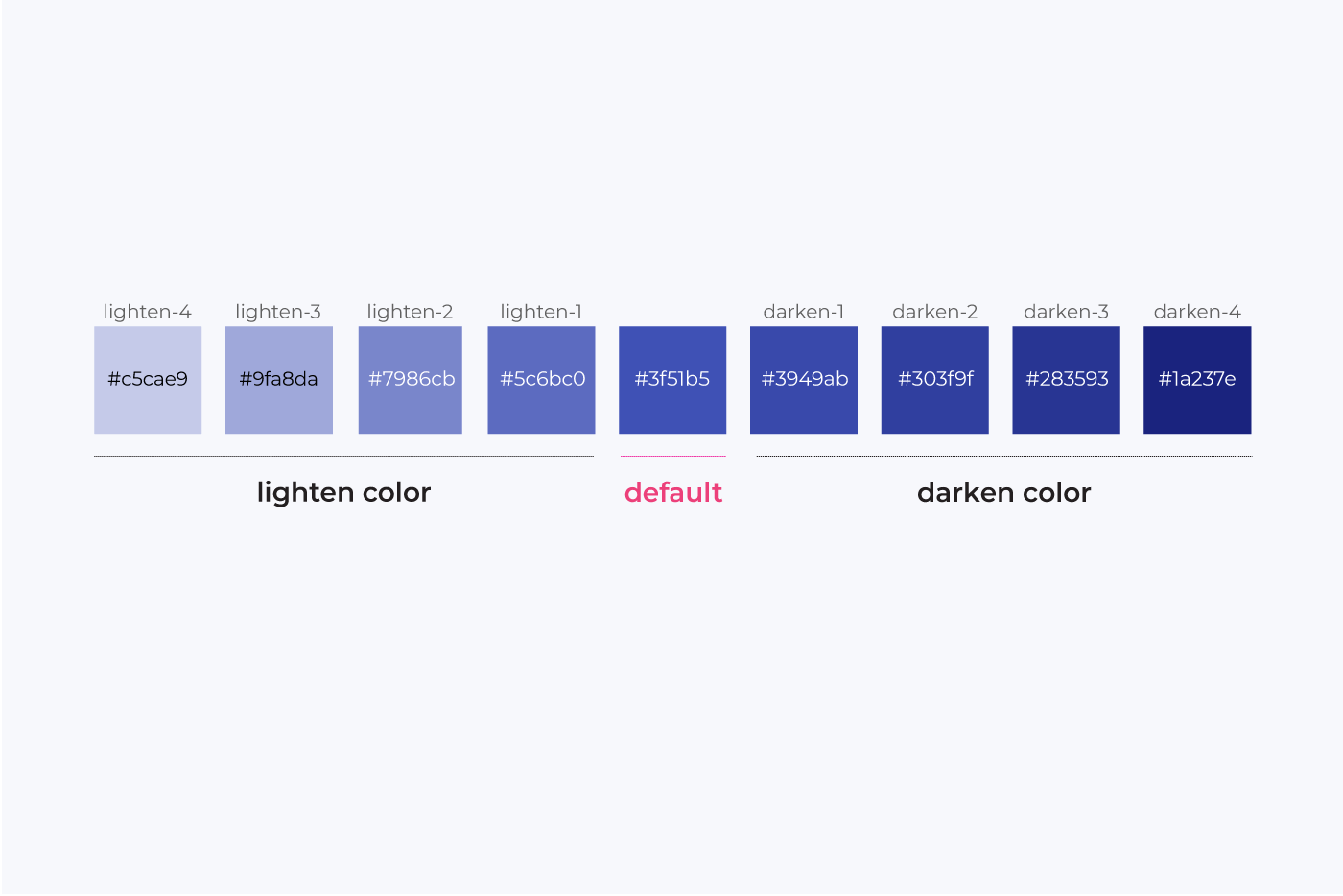
After defining a default color, you can use lighten and darken colors in about four to five steps as interaction colors. This allows richer expression than limiting interaction colors to just one or two. Lighten colors become brighter toward the left, and the number increases the brighter the color gets compared to the base color. Darken colors become darker toward the right, and the number increases the darker the color gets compared to the base color.
Using interaction colors for hover states helps users easily tell where the mouse is hovering.
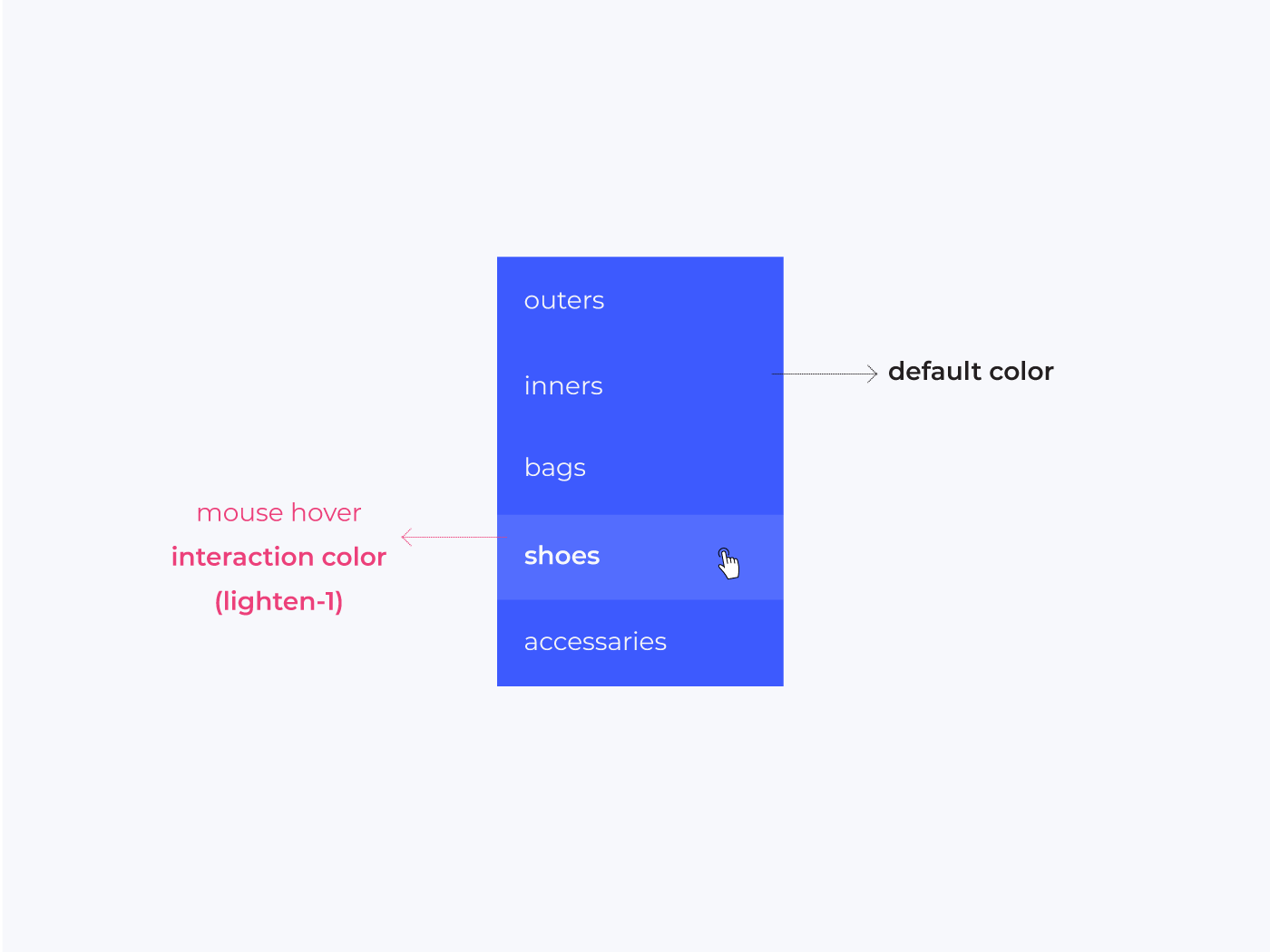
This is an example that uses the default color for the state before mouse hover, and the interaction color (lighten-1) for the hover state.
Topics: design
Category: Scrap/Article
%% Source: http://styleguide.co.kr/content/color/brand-color.php %%